Published 5th June 2026
Why I Built a Minimal Music Player
The story behind BW Player; a minimal monochrome music player with AI SmartMix, multi-source streaming, and a sparse UI over a serious domain layer.
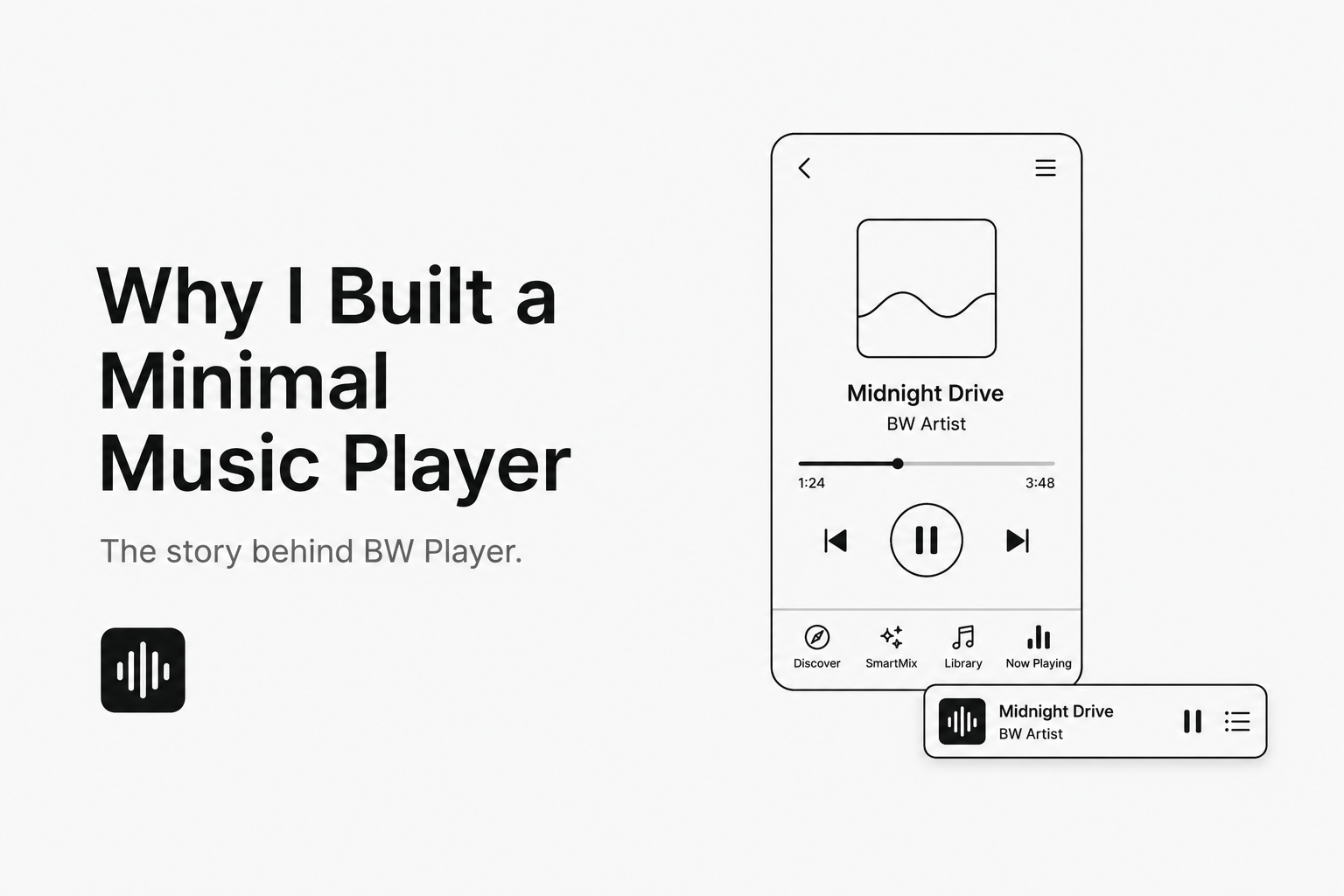

This is the story behind BW Player; a monochrome music app that looks quiet on the surface but is anything but simple underneath.
The tension
Most music apps pick a lane and stay in it. Either the UI stays small and the feature set gets stripped down to something like a demo, or the player becomes thick with artwork, social graphs, recommendations, ads, and more. I kept running into a contradiction:
- I wanted a player that felt invisible.
- I also wanted one that didn't feel like a toy when I actually used it.
That contradiction became the design constraint for BW Player. The UI would stay deliberately minimal. The architecture behind it would not.
What "minimal" means here
I want to be precise about what I cut and what I didn't.
What the UI looks like
BW Player's design is intentionally sparse:
- A small app shell with four tabs: Discover, SmartMix, Library, and Now Playing.
- A floating mini-player that shows the current track without forcing full immersion.
- A now-playing page that only shows the essentials: title, artist, progress, and a thin control bar.
- Small floating cards instead of dense screens of information.
If you open the now-playing page when nothing is queued, it says exactly one thing:
Nothing playing. Pick a track from Discover.
That's not a default error state. That's a policy choice.
What lives under the hood
The UI is only a projection layer. The real app runs in domain and data:
- Multi-source catalog abstraction: tracks come from Audius, Jamendo, Last.fm, or the local library. Each source has its own client, DTOs, mappers, and repository. The UI never asks where a track came from.
- Rich search semantics: queries can filter by text, tag, BPM, key, time signature, or mood. The
SearchFiltersandMusicBrowseParamstypes give the search layer structured intent, not just strings. - Wildcard searches and download fallbacks: some searches are open-ended rather than constrained to named filters. Tracks can be marked auto-download, manually downloaded, or never cached.
- Playlist embedding and split-track repair: tracks can carry metadata to reconstruct playlists or search contexts. A helper like
multiPartFixmaintains continuity across items that originated from split or multi-part sources. - Queue and playback lifecycle:
PlaybackServiceexposes a six-state lifecycle (idle,loading,ready,playing,paused,completed,error) plus seek, skip, and progress reporting. The UI stays small, but the playback engine is explicit about its state machine. - Smart mixing: optional AI-assisted set generation based on mood or tempo. It is there, hidden behind a feature flag, and disabled by default when the AI provider is unavailable.
None of those concerns leaked into the presentation layer. The screens stay small because the model is doing the work.
The philosophy
Minimal UI is not the same as minimal software.
BW Player asks the question: What if removing visual mass allowed the internal model to be more careful? A thin shell with a strong domain layer is harder to build than a thick UI with inline hacks.
The result is closer to a small control surface over a serious system. You tap once, and underneath:
- The track is resolved from one or more catalogs.
- Metadata is mapped from proprietary DTOs into a single
Trackmodel. - Playback state moves through a defined lifecycle.
- Downloads are managed respectfully.
- Smart mix can assemble a coherent sequence.
- Gaps in multi-part playback are handled automatically.
What you see is just the title, the progress bar, and the play/pause button. That's the point.
Where I'd tighten it further
Saying the separation is clean doesn't mean it's perfect.
- I would add a true minimal mode in settings that removes SmartMix, autocomplete, and network suggestions entirely; leaving a focused local-library player.
- I'd formalize the split between
domain,data, andpresentationinto an explicit design note in the repo. Right now it lives more in convention than in documentation. - The
DownloadTrackerand catalog-specific search parameter builders are good candidates for extraction into well-scoped packages if the project keeps growing.
The hardest part
Real minimal software is often the hardest to build. Constraints don't make the problem easier; they just make the choices sharper.
BW Player's empty-state copy almost says it for me:
Nothing playing. Pick a track from Discover.
Not Nothing loaded. Not a spinning wheel. A quiet sentence with full confidence that the engine behind it is ready.
That certainty is the whole point.
Try It Out
BW Player is live at dub.sh/bwplayer. Android, iOS, and macOS.
Thank you Akshara Hegde
To read the full article, click the link below.
https://aksharahegde.xyz/blog/why-i-built-a-minimal-music-player